

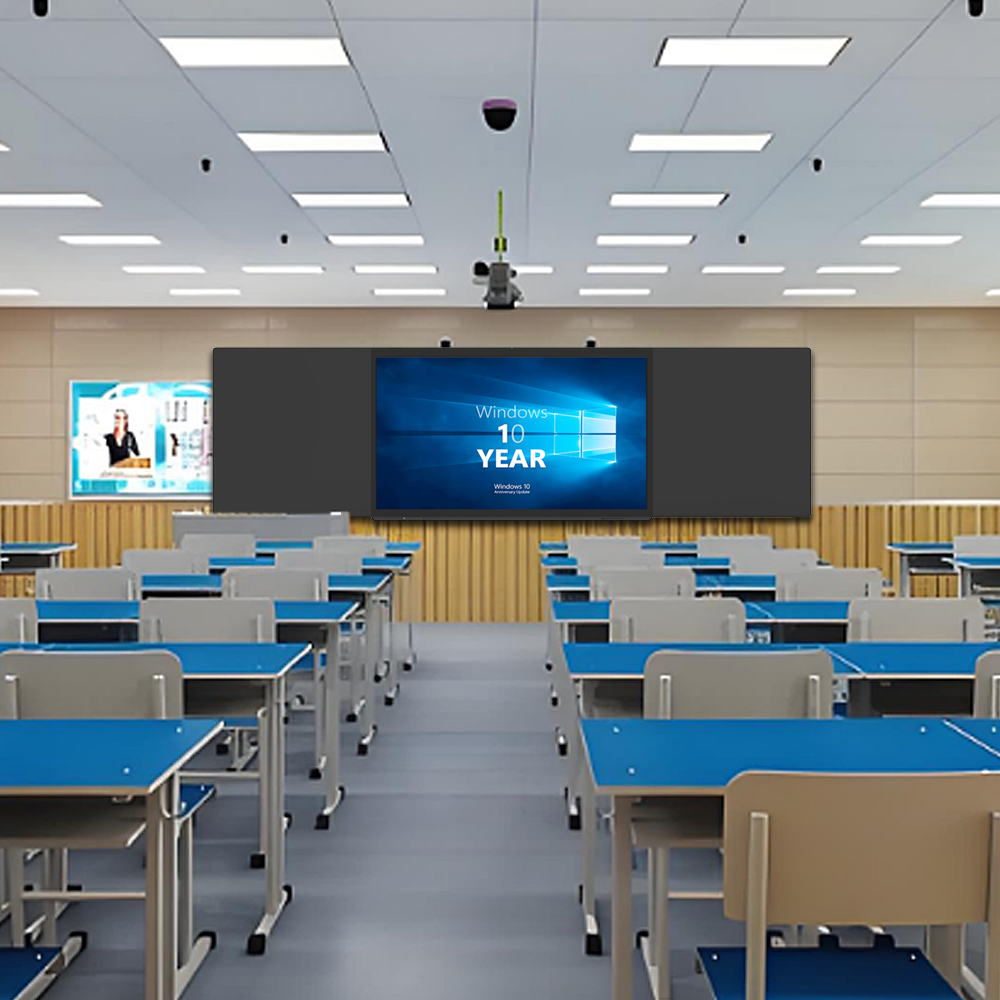
QiLong Nano blackboards are uniquely versatile tools that seamlessly blend traditional chalk writing with digital interactivity, making them adaptable to every subject in education. Their dual functionality—supporting tactile, hands-on learning alongside dynamic digital content—addresses the diverse needs of disciplines ranging from math and science to language arts and the arts. Below is a breakdown of how they enhance teaching and learning across key subjects:
1. Mathematics: Bridging Abstract Concepts with Visual Clarity
Mathematics relies on both step-by-step problem-solving and visual representation, and nano blackboards excel in both areas:
Chalk Writing for Formulas & Proofs: Teachers can write equations, geometric theorems, or calculus derivations in chalk, preserving the tactile, iterative process of working through problems—critical for students to follow logic. The scratch-resistant nano surface ensures chalk lines stay crisp, even with frequent erasing.
Digital Tools for Visualization: With a tap, teachers can switch to the digital mode to display 3D graphs, dynamic equations, or interactive simulations (e.g., graphing parabolas in real time, manipulating geometric shapes). Students can even annotate these digital visuals with chalk, merging handwritten notes with digital precision.
Collaborative Problem-Solving: Multiple students can work on the same problem—one using chalk to solve algebra steps, another using the touchscreen to plot data—fostering teamwork and clarifying misunderstandings instantly.
2. Science: Merging Experimentation with Digital Exploration
Science education thrives on observation, experimentation, and explaining complex processes, all of which are elevated by nano blackboards:
Chalk Diagrams for Processes: In biology, teachers can sketch cell structures or food chains in chalk, emphasizing key components with color-coded chalk. In chemistry, they can outline reaction mechanisms step-by-step, erasing and revising as students ask questions.
Digital Simulations & Data: For physics, the digital screen can display simulations of projectile motion or wave interference, while teachers use chalk to annotate forces or variables directly on the simulation. In environmental science, live data (e.g., climate graphs) can be pulled up, with chalk notes highlighting trends or anomalies.
Safety & Accessibility: For lab demonstrations, teachers can project live video of experiments (via connected cameras) onto the digital screen, allowing all students to see details. Chalk annotations can label equipment or warn of safety steps, ensuring clarity even from the back of the classroom.
3. Language Arts & Literature: Enhancing Text Analysis and Creativity
Language arts demands close reading, writing, and creative expression—areas where nano blackboards balance tradition and innovation:
Chalk for Annotation & Writing: Teachers can write poems, quotes, or grammar rules in chalk, encouraging students to underline, circle, or add margin notes (e.g., identifying metaphors in a novel excerpt). The nano surface’s smoothness mimics paper, making chalk writing feel natural.
Digital Resources for Context: With the digital mode, teachers can display author biographies, historical context (e.g., photos of 19th-century London for Oliver Twist), or audio clips of poems being read aloud. Students can then use chalk to connect these digital elements to the text, creating visual mind maps.
Peer Feedback: Writing assignments (e.g., essays or stories) can be projected digitally, and peers can use chalk to suggest edits or highlight strengths—combining the immediacy of handwritten feedback with the convenience of sharing work across the class.
4. Social Studies & History: Connecting Past and Present Visually
Social studies and history require contextualizing events, analyzing maps, and interpreting primary sources—tasks made more engaging with nano blackboards:
Chalk for Maps & Timelines: Teachers can draw historical timelines or regional maps in chalk, letting students label key dates, borders, or events. The tactile act of drawing helps reinforce spatial and chronological understanding.
Digital Archives & Media: The screen can pull up primary sources (e.g., scanned letters from WWII soldiers) or documentaries, with chalk annotations linking these to the timeline or map. For example, a teacher might project a 1960s civil rights protest photo and use chalk to mark its location on a U.S. map.
Debate & Collaboration: Students can use chalk to argue opposing viewpoints (e.g., pros and cons of a historical policy) on one side of the board, while the digital side displays statistics or expert quotes to support their claims—making debates more evidence-based and interactive.
5. Arts & Music: Fostering Creativity and Technical Skill
In creative subjects, nano blackboards blend hands-on creation with digital tools to expand possibilities:
Chalk for Sketching & Notation: Art teachers can demonstrate drawing techniques (e.g., perspective, shading) in chalk, allowing students to copy and adapt the steps. Music teachers can write sheet music or chord progressions, erasing and revising as they explain rhythm or melody.
Digital Integration for Inspiration: The digital screen can display famous artworks, architectural designs, or musical performances. Students can use chalk to sketch variations (e.g., “Redraw this Picasso with a different color palette”) or annotate musical scores with their own interpretations.
Multimedia Projects: Students can present digital art (e.g., photoshopped images) or recorded music on the screen, then use chalk to explain their creative choices—bridging digital and traditional artistic processes.
6. Physical Education & Health: Combining Instruction with Demonstration
Even in active subjects, nano blackboards enhance clarity and engagement:
Chalk for Diagrams & Drills: PE teachers can draw (e.g., proper running form, basketball plays) in chalk, breaking down steps for students to mimic. Health educators can sketch anatomical diagrams (e.g., the heart’s structure) to explain bodily functions.
Digital Videos for Reference: Short clips of athletes executing skills or health demonstrations (e.g., CPR) can be played on the digital screen. Teachers can pause the video and use chalk to highlight key muscles or techniques, ensuring students grasp details.
Safety & Planning: For team sports, the digital screen can display game strategies, while chalk notes add real-time adjustments based on student performance—making practice sessions more adaptive.
Why Nano Blackboards Work Across All Subjects
Flexibility: They honor traditional teaching methods (chalk writing) while integrating digital tools, ensuring no subject is constrained by technology.
Cost-Effectiveness: By combining a chalkboard and interactive display in one device, schools avoid purchasing separate tools for each subject, saving budgets.
Accessibility: The anti-glare nano surface ensures visibility in any classroom setting, and features like QR code sharing let students revisit lessons later—critical for review across all disciplines.
Engagement: Students respond to the mix of tactile (chalk) and digital interaction, making even the most abstract subjects feel tangible.
In essence, nano blackboards are not just “tech tools” but subject-agnostic enablers—they adapt to the unique demands of every discipline, making them indispensable in modern classrooms. Whether solving equations, analyzing poems, or exploring scientific phenomena, they bridge the best of traditional and digital learning, ensuring no subject is left behind.
QiLong touch, founded in 2007, is a high-tech enterprise specializing in the research and development and production of smart campus big data platform and many intelligent products.The company has an industrial workshop of more than 8,000 square meters, with more than 180 employees, including more than 20 product research and development personnel, and several senior engineers at the professor level. The hardware products produced by the company mainly include: interactive tablet, interactive intelligent blackboard, OPS computer, interactive interconnected blackboard, conference tablet, advertising machine, inquiry machine, recording and broadcasting equipment, calligraphy equipment, classroom eye protection lights, etc. With rich experience in OEM/ODM service to overseas customers, Qilong products are very popular in more than 80 countries around the world.